
Good WWOOF visits begin with a clear conversation and a confirmed booking.
Most WWOOF visits begin with a few messages and perhaps a phone or video call. This gives the Host and WWOOFer a chance to get to know one another, discuss expectations and decide whether the visit feels like a good fit.
Once you are both happy to go ahead and have agreed the dates, there is one small but important step left: confirming the visit through the booking system on WWOOF.ie.
Why Confirming the Visit Matters
- A Clear Record for Everyone
A confirmed booking gives both the Host and WWOOFer a clear record of the visit and the agreed arrival and departure dates. This is especially helpful when several visits are being discussed at the same time.
It is also useful to summarise any particular arrangements, such as collection details, dietary needs or agreed activities, in a message through WWOOF.ie. You will then both have something clear to refer back to.
- Support When You Need It
A confirmed booking helps the WWOOF Ireland team see who is staying at the farm and when. If a question, concern or emergency arises, this makes it easier for us to understand the situation and offer appropriate support.
When a visit has only been arranged through messages, email or WhatsApp, it may not appear on either member’s booking record.
- Safety and Accountability
Formal bookings provide a useful record of completed visits, cancellations, no-shows and feedback. Before going ahead, make sure that everyone taking part has a valid WWOOF Ireland membership and their own corresponding profile.
- Helping Us See the Bigger Picture
Every confirmed booking contributes to WWOOF Ireland’s visit statistics. This information helps us understand how much WWOOFing is taking place across Ireland, recognise changing patterns and improve the resources and support we offer our members.
A Message Is Not a Booking
A Host and WWOOFer may have exchanged several messages and agreed the dates, but the visit remains unconfirmed until the booking process has been completed on WWOOF.ie.
Chat and agree > Send the visit request > Accept the request > Visit confirmed
Send the Visit Request
Once the dates and practical arrangements have been agreed, either the Host or WWOOFer can initiate the booking.
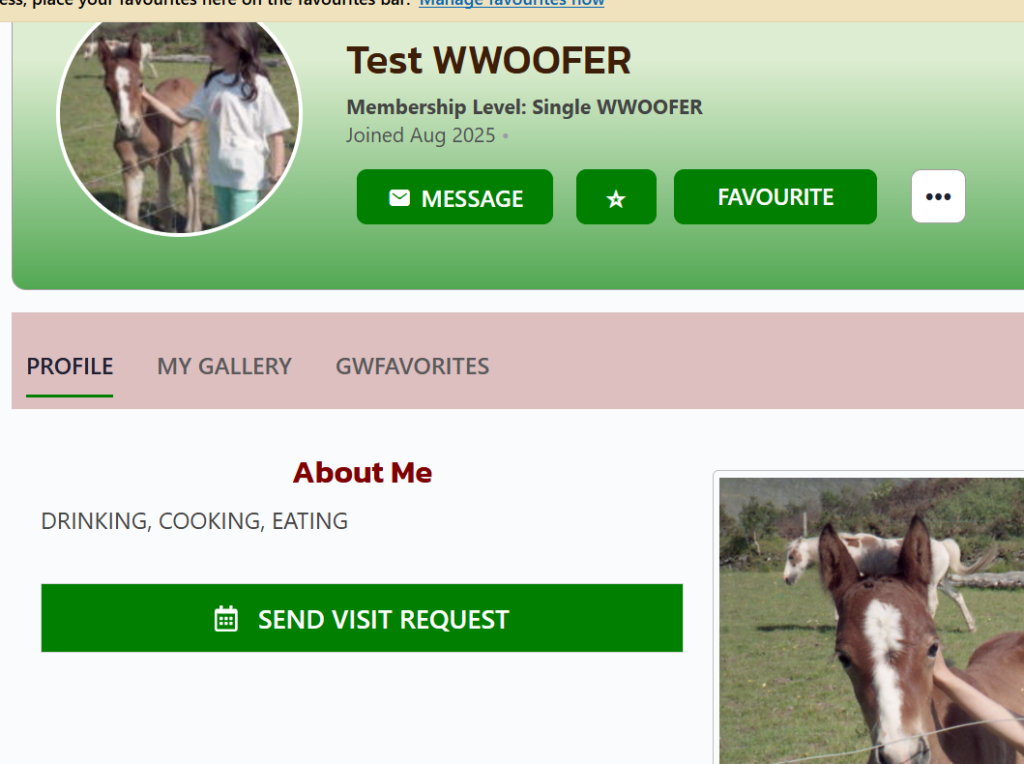
Visit the other member’s profile and select Send Visit Request
Accept the Request
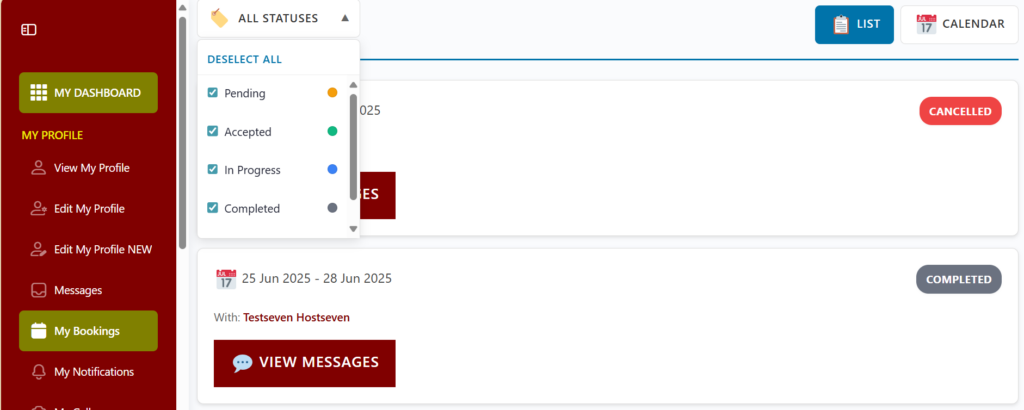
The request will initially show as Pending. The other member must select Accept before the visit is confirmed. Sending messages or submitting the request alone does not complete the booking.

Once accepted, the visit can be found under My Bookings in either the list or calendar view. Take a moment to check that the dates are correct. If plans later change, update or cancel the booking and let the other person know as soon as possible.
Check My Bookings
Confirming a visit takes only a few moments, but it gives everyone greater clarity and helps WWOOF Ireland provide better support throughout the experience.